
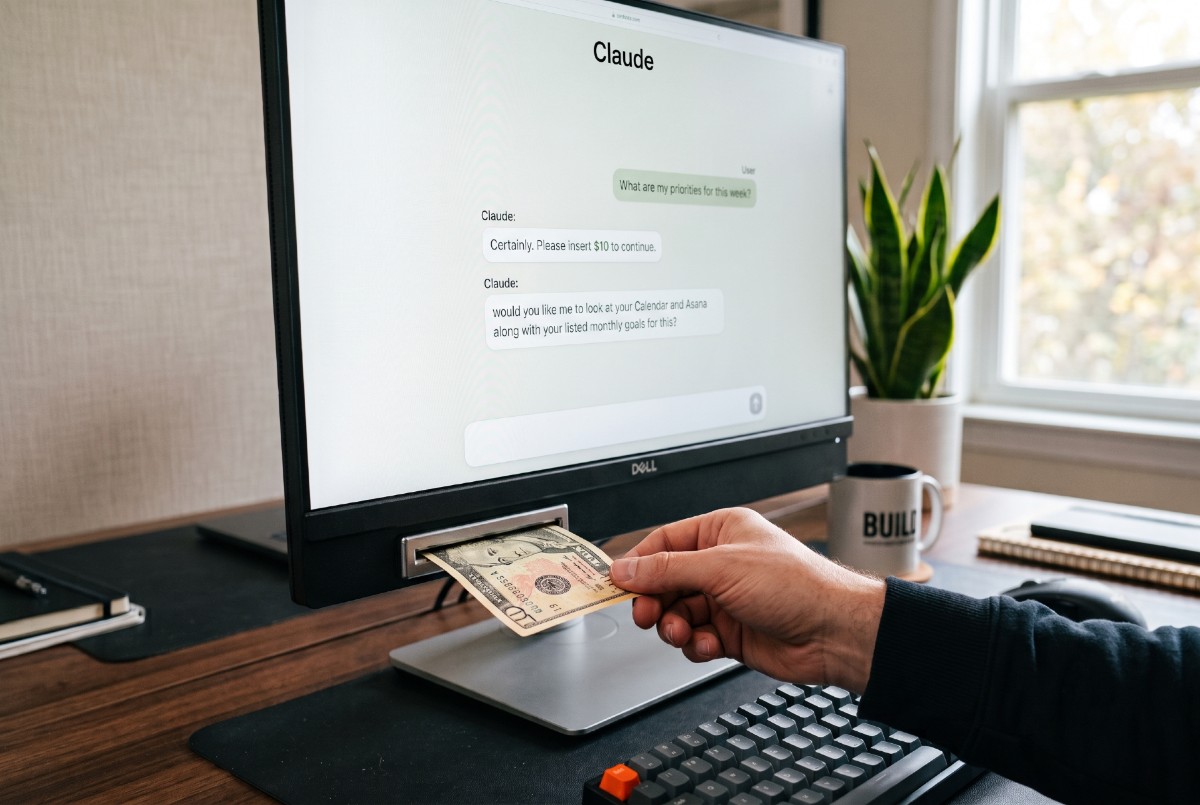
The $155 Happy Meal. Picture this. You pull into the McDonald’s drive-thru to grab your kid a Happy Meal. Simple. You’ve done it a hundred times. You order, you pull up to the window, and the cashier leans out and says, cheerfully, “That’ll be $155.17, please.”
You blink. “I’m sorry… umm… for a Happy Meal?”
“Oh, didn’t you hear?” she says, still smiling. “We’ve got a new pricing model. We bill you for today’s Happy Meal… plus every Happy Meal you’ve ever bought here in the last three months. Great, right?”
“Yeah, no thanks. Keep the happy meal. The kids will survive (I think).” Crazy illustration. Nobody would run a fast food restaurant that way.
So, I know it’s simplistic to say but a Claude chat sort of works a little like that drive-thru. Every time you send a message, you’re not just paying for that one message. You’re paying for the new message plus the cost of every other message that came before it in that chat thread. Over time, that’s a really expensive happy meal! And this isn’t some secret way for the company to take your money. It’s actually by design. It’s a big part of what makes Claude so effective!
OUR GOAL: by the end of this post, you’ll better understand how Claude consumes ‘tokens’ behind the scenes… and near the end, I share some key strategies to get more out of every chat while spending less.
A Claude Chat in Dollars
Here’s a little more refined illustration that shows how it would look if each Claude chat cost literal dollars right out of your bank account. Again, it’s an illustration, meaning the amounts shown here don’t really measure up to exact token costs behind the scenes.
Each row in the table below represents one turn — one back-and-forth with Claude (Cowork & Code too). You’ll see that three numbers get added together to find what that one turn truly costs:
- You send — the cost of your message, plus anything you upload.
- Claude does — the cost of the work Claude does that turn.
- Total cost — the cost of #1 & #2 plus every other turn in that chat.
The first two add up to what I’ll call your ‘turn cost’. Then there’s the last column – the confusing one. That’s the total cost for that one interaction. It’s the sum of the turn cost and the total cost of the previous back-and-forth conversation.
Quick example, in Turn 2 below: ‘You send’ a $1 question + ‘Claude does’ a $6 response + previous $12 total = total cost $19.
(Again, the dollar signs are just a way to picture this. They aren’t real money or token counts.)
| Turn | You send | Claude does | Turn cost | Total cost |
|---|---|---|---|---|
| 1 | $5 (instructions + Excel file) | $7 (opens file, parses every row) | $12 | $12 |
| 2 | $1 (one short question) | $6 (re-reads file, writes summary) | $7 | $19 |
| 3 | $1 (another quick question) | $4 (pulls a few numbers) | $5 | $24 |
| 4 | $6 (pastes a long email thread) | $7 (reads thread, cross-checks file) | $13 | $37 |
| 5 | $1 (“put that in a table?”) | $9 (builds the document) | $10 | $47 |
| 6 | $1 (question & thinking mode) | $14 (reasons step-by-step) | $15 | $62 |
| 7 | $1 (“make it sharper”) | $8 (rewrites from scratch) | $9 | $71 |
| 8 | $8 (upload file, switch to Opus) | $22 (reads file, research, comparison) | $30 | $101 |
| 9 | $1 (“summarize the differences”) | $14 (analysis + summary) | $15 | $116 |
| 10 | $1 (“thanks — one last tweak”) | $4 (small new edit) | $5 | $121 |
| TOTALS… | $121 | $610 |
Key Insights & Observations
- A tiny request can cost a lot. Turn 1 cost $12 while turn 10 cost $121. That’s more than ten times as much, even though Turn 10 was a quick “thanks, one last tweak” that barely asked for anything. The request was small but the bill was big.
- The whole chat actually cost $610, not $121. If we only look at row 10, the conversation seems to cost $121. Wrong! That’s just the cost of that one interaction. If we add up what every turn cost to run, we see the whole chat costs around $600.
- Why? Claude re-reads the whole conversation every turn. Picture the conversation as a book Claude reads from page one, every single time you hit send. Early on there are only a few pages, so re-reading is quick and cheap. Late in the chat, Claude is working through whole chapters before it can even start your new request. And the “book” isn’t just the text in the chat — it includes every file Claude opened, every document it built, every web page it read, every search it ran, docs it referenced in Files, etc. All of it gets read each turn (for Claude experts out there… yes, there are some things Claude does to limit this, but the overall concept still holds true.)
- This is what makes Claude powerful but expensive. Because Claude remembers everything in the chat, it gets smarter as the conversation builds. It can tie your latest question back to a file from ten turns ago. That memory is the superpower. It’s also why a long chat gets expensive. So the goal isn’t necessarily to avoid long chats — it’s to budget them on purpose.
The budget: how limits work
Keeping with the dollar illustration from the table earlier, let’s talk through how to use Claude efficiently. Your budget (tokens/usage) isn’t unlimited. In fact, we actually need to manage two budgets at the same time.
- The 5-hour budget. Let’s imagine we get about $5,000 to spend every 5 hours. That’s not for one chat. That’s for all your chats during those 5 hours. Our example chat cost about $610, which is roughly 12% of the window — gone in one conversation. Run about eight chats like that and the 5-hour budget is empty. You’ll have to wait until the next 5-hours resets everything. There’s the first budget.
- The weekly budget. On top of that sits a bigger budget for the whole week — let’s say it’s around $75,000. This is the real cap that stops nonstop heavy use. So all the ‘money’ you’re spending throughout the week in those 5-hour windows is slowly being deducted from this weekly cap. And, yep, if you use up your weekly budget, you’re out on the street until the week resets!
Here’s the encouraging part: that same $610 result could have cost more like $250 or $300 if the chat were managed more strategically. That’s what the next section is for.
How to spend less and do more
1. Use one chat per topic, and start fresh for new ones
This is probably the most important strategy. A new chat resets the cost for that chat (not the 5-hour budget) to zero, so every turn is cheap again. You’re spending less of your 5-hour budget than if you keep going on one long thread. So don’t let one mega-thread run all day collecting unrelated things!
2. When a chat gets expensive, restart it with a summary (what the pros do)
If the chat is getting long or costly (lots of research, files, etc.) ask Claude to write a short “summary prompt” or “summary document” capturing what’s been decided and built so far in the chat. Then open a new chat, paste that summary and bring along only the key file or two you still need. This keeps the progress going but drops the heavy cost back to near zero. Do this as often as you can!
3. Write fewer, better-formed requests
Instead of five small chats or ten tiny back-and-forth turns, bundle several things into one clear, detailed ask up front. Fewer turns means the whole ‘book’ gets re-read fewer times, and a specific request the first time saves you rounds of “no, more like this.”
4. Be intentional with what you upload
If you just need three pages of a long document, give Claude those three pages, not the whole thing. And don’t re-paste the same reference material chat after chat — that’s repeated cost every time. Paste it in once, or if it’s part of a Project, put it in Files for Claude to reference as needed.
5. Match the horsepower to the task
Two of the biggest cost levers are which model you use and whether Thinking mode is on. It’s tempting to say “everything needs the heaviest model with thinking turned on” because you want accuracy. But a heavier model or a round of thinking isn’t always about accuracy — it’s about thinking harder. If I want to go to the Dollar Store a mile down the road, it really doesn’t make sense for me to take a 15 mile detour to get there! Use the lighter model and leave Thinking off for everyday tasks. Save the heavier model and Thinking mode for when you genuinely need Claude to reason step-by-step or when the stakes are high. And remember — you can flip that Thinking toggle or switch models mid-chat as needed.
6. Keep track of what’s expensive inside a chat
Always mentally remember the costly things you’ve added to the chat. Attached files, files Claude creates, web searches, and pages it reads all add up quickly. Just being generally aware of what you’ve loaded helps you spend wisely.
7. Check your Usage page regularly
Bookmark it and glance at where your 5-hour and weekly budgets stand. It’s the easiest way to avoid surprises. I actually put a widget right on my desktop to make it easy for me to watch my budgets throughout the day and week!
Advanced Tips
1. Use Cowork only when Claude needs to act outside the chat
Cowork lets Claude do work in your actual apps and files, but it’s a lot more expensive than a normal chat. Save it for when you genuinely need Claude to go do something out there, not for ordinary questions, basic lookups of your schedule or other apps or drafting documents.
2. Use Projects to hold shared context
A Project lets you bundle chats around one topic and attach instructions and files to the Project itself. Claude pulls from those files only when it needs them, carries context better from one chat to the next, and you stop re-uploading the same things into every chat. Don’t forget to occasionally update your files so Claude always has the right information!
3. Ask Claude to prompt you when the chat gets expensive
Put a couple lines of instruction in your Claude settings to ask it to help you keep track of the cost. Instructions work best with a trigger, so something like, “Every time I ask you to put something in the canvas or upload a file, evaluate how expensive the chat is and, if it’s getting costly, shoot me a quick message.”
4. Time your 5-hour budget
Start your first 5-hour block strategically. Send an early-morning message to start the clock, then do your real heavy work near the end of that block. Do the same for your second 5-hour block so it opens up right behind it. This will leave you with one more 5-hour block available to you late in the day. Done well, that’s closer to triple the output in a day instead of double.
Written with current behavior in mind as of mid-2026. The way things are moving with AI, it’s possible half of this will change by next year!