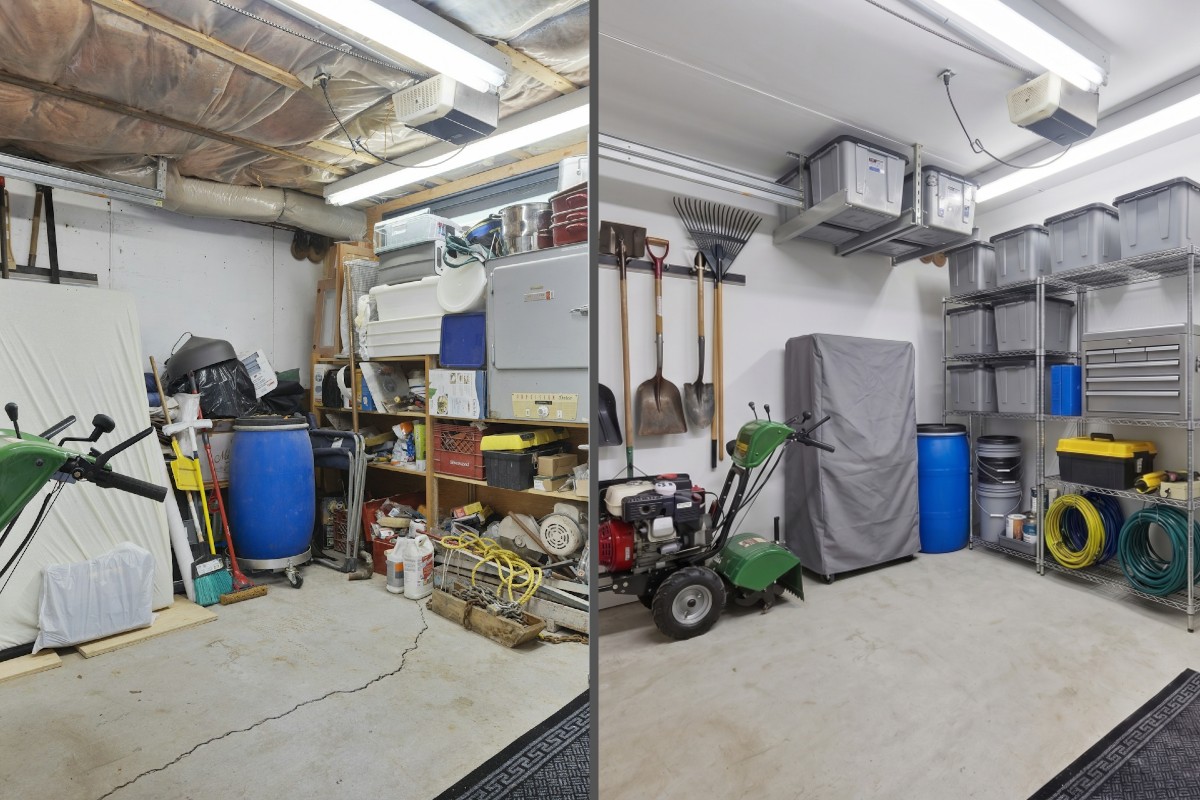
Isn’t it amazing how quickly clutter, leftovers and the random ‘stuff’ we know we need but rarely use get mixed in with all the important things we use every day? It’s like a super messy garage. We haven’t touched half of it in 5 years, but we use the garage every day to store the lawn mower, camping gear, and the, um, well, we don’t even know what that is…. And for a lot of people, the garage is a total disaster. Boxes stacked sideways, tools everywhere, stuff piled so high you couldn’t have squeezed a bicycle in there, let alone a car.
We’ve all seen a garage like that (maybe yours is right now). Here’s the weird part — the mess usually isn’t because someone is lazy or messy. It’s because there was never a system. Things just got thrown in wherever there was room, and over time “wherever there was room” became the whole garage.
Asana can easily end up the same way if we’re not careful. I’ve worked with plenty of organizations whose workspace started clean and slowly turned into that garage — projects scattered, nobody quite sure where anything lives, work hard to find right when you need it. The good news is that Asana gives us everything we need to build the organized version… as long as we understand a few key ideas about how the pieces all fit together.
Before we dig in, a quick word on why this matters. If you’ve used Asana for years, you’re probably used to organizing your work around teams — create a team, then drop your projects inside it. And if you’re on the Personal or Starter tier, that’s likely still how you’re working today… or you just create the projects and don’t bother organizing them anywhere. But if you’ve moved up to Asana Advanced or one of the Enterprise tiers (or you’ve just noticed the navigation has shifted and you’re rethinking your setup), this is the mindset shift that’s going to make everything click.
The Big Shift: Teams to Portfolios
For a long time, Asana teams were where our projects lived. That’s the habit most of us built. The shift I want you to consider moving toward is this: portfolios are now the primary space where you structure and organize your work.
Structurally speaking, think of a portfolio as an advanced folder — a lot like a folder on OneDrive or Google Drive, but with a lot more to it. It’s where we gather related projects so we can see and manage them together. Of course, it’s much more than a navigation tool. From inside a portfolio you can monitor progress, check workload, see what’s on track and what’s behind, post status updates, and plenty more. But for this post, the headline is simple: portfolios are the smart way to structure our work in Asana.
A Few Portfolio Tips Worth Knowing
Anyone can create one. I encourage organizations to let individuals build their own private portfolios for the work that matters to them. At the same time, set up shared portfolios for teams and the broader organization so everyone has visibility into the right projects. A little governance and a naming convention here will also be helpful long-term.
Star the ones you use. I’m still amazed how many people miss this. Starring or favoriting both portfolios and projects isn’t just cool to do—it’s essential for individual efficiency. Every person should curate their own starred views with the resources that matter most to them.
Nest portfolios. A portfolio can hold other portfolios. In the video here we see that Allen keeps one called “Allen’s Important Work,” and inside it he’s tucked a “Team Projects” portfolio. Now he gets to it in one click — without cluttering his starred section with everything.
Use them to visualize progress, not just store projects. Add custom fields and build custom views so you can group and sort your projects. Setup your dashboard with key metrics to stay on top of progress. Use timeline and workload to see the big picture and manage resources. This is where a portfolio stops being just a folder and starts being a tool to monitor and visualize progress, roadblocks, wins and more.
Teams Are About People
So where does that leave teams? They’re still important! Only now they’re more about people, rather than project storage. A team is the group, the department, the members who need access to the right resources.
Two things to keep in mind. First, projects no longer have to live in a team; they can live in a portfolio instead (or in neither). Second, teams are still how you connect groups of people to your strategic initiatives — your goals, OKRs, or KPIs (using Asana Goals). So as you structure Asana, think of teams as the people accountable for the work, and portfolios as where the work gets organized.
Build New Projects (and Templates) Right From the Portfolio
One last practical tip. When you’re ready to create a new project, start inside the portfolio it belongs to. Create it there and it’s automatically added — no extra step. (And since a project can belong to more than one portfolio, don’t forget to add it to any others it should live in too.)
Even better, you can attach project templates directly to any portfolio. That means you can easily build a new project from a template right from the portfolio without hunting around for it.
Structure Your Asana Workspace on Purpose
Pulling back, the big idea is to structure your Asana workspace on purpose. Have the strategic conversation with the right people: how do we want to organize our work? Then build portfolios that map to your teams, initiatives, and the groups of work you want to track. Nest them where it helps, allow private ones, set the naming conventions and governance that keep things findable, and give people & teams the visibility they need.
With a little initiative and critical thinking, your Asana can stop looking like that overstuffed garage you avoid at all costs and start looking like something you and your team can start using!
Let’s get organized!
Questions about structuring your work in Asana? Drop me a line!
—
Dirty garage image courtesy of Point3D Commercial Imaging Ltd. on Unsplash.
Organized garage image imagined by Gemini.